Skip the world sequence
+The agentic 3D platform

Build the worlds
you have in mind.

The agentic platform to plan, build and edit 3D environments for AEC, simulation, games and interactive experiences.

A forested mountain landscape with an ancient stone gateway, river and timber bridge.

Scroll to move between worlds. Drag to rotate. Shift and wheel, trackpad pinch, or two-finger pinch zooms the scene. Arrow keys rotate, plus and minus zoom, Home resets. Vertical touch swipes scroll the page.

Playable worlds.
Creation & editing

A shared 3D workspace
for you and your agents

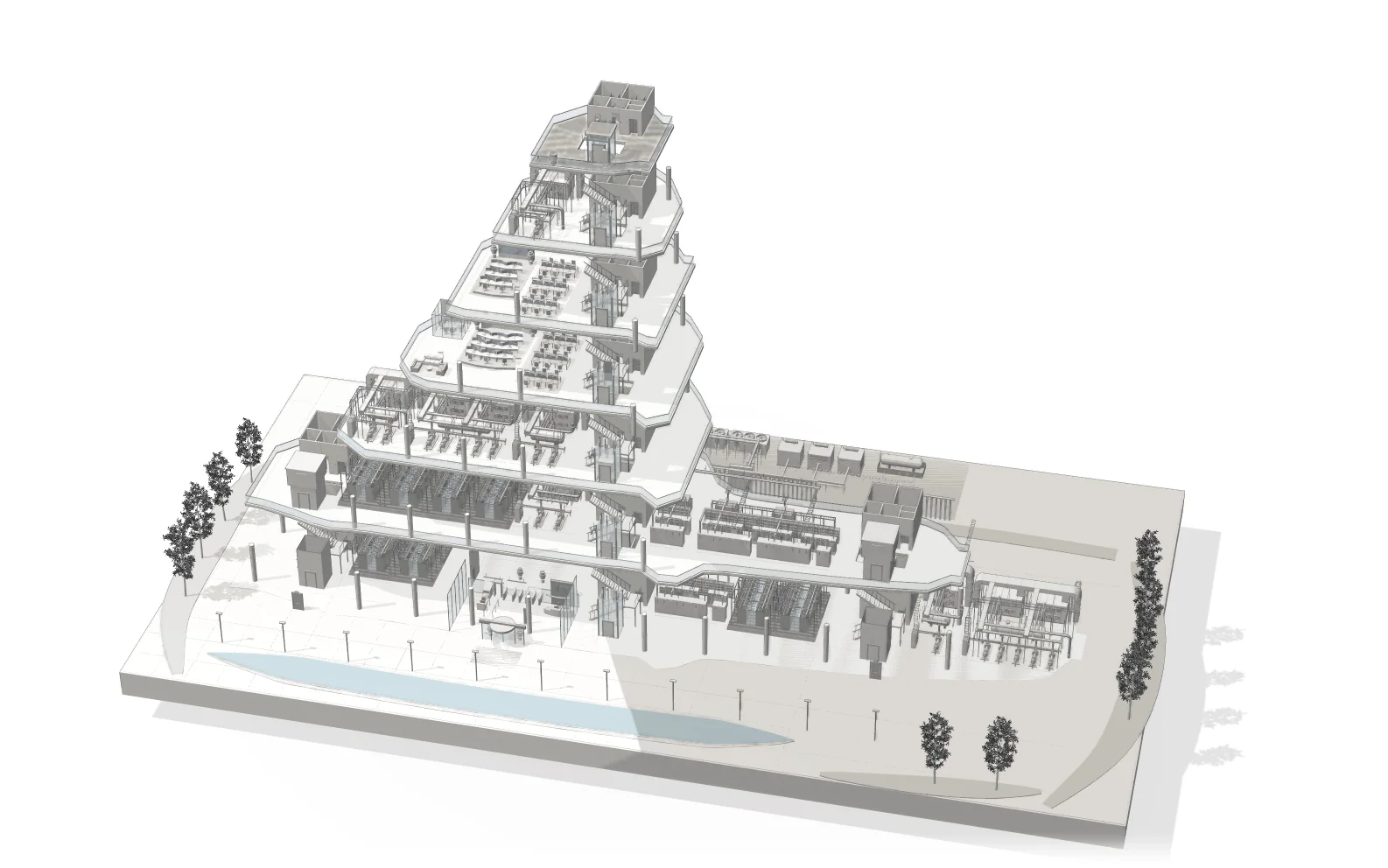
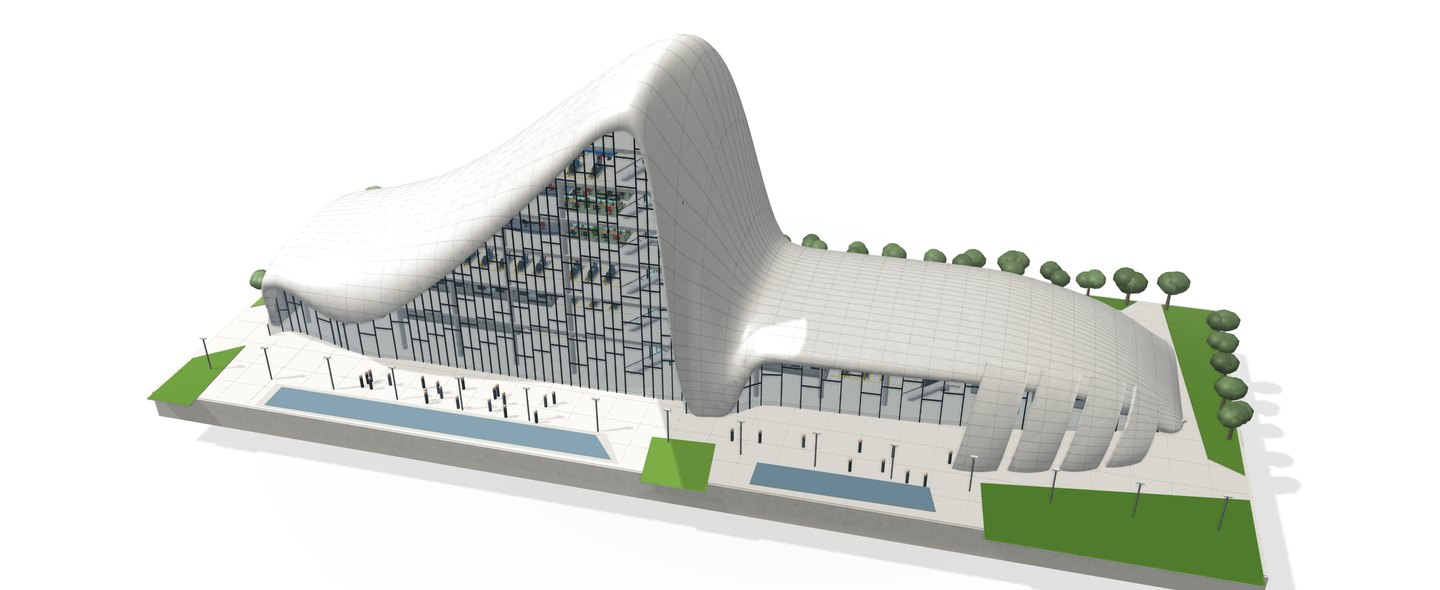
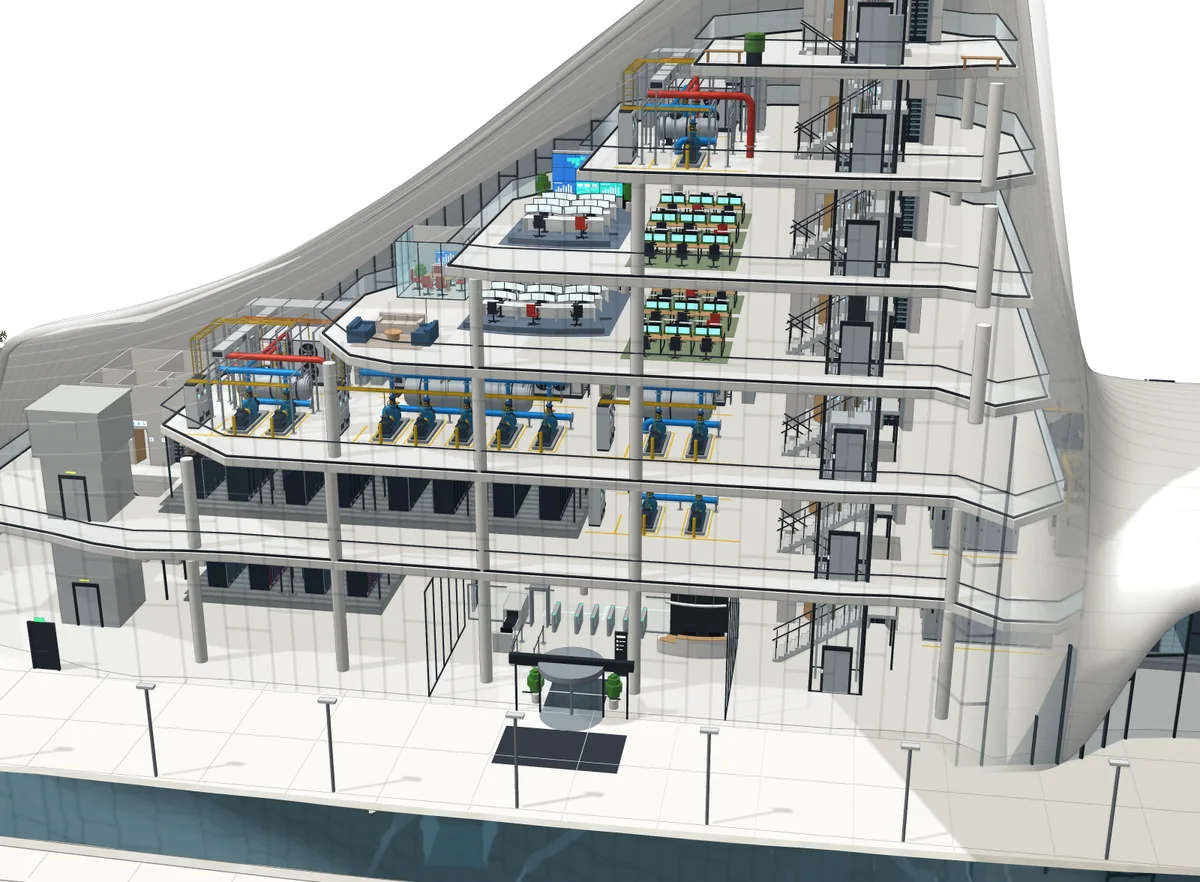
A cutaway of the data centre building: plant rooms, control rooms, offices, a data hall and the lobby inside its flowing shell.

Design buildings in CAD and export to IFC

Turn prompts, floor plans or LiDAR scans into editable building models. Develop structure, layouts and mechanical, electrical and plumbing systems with parametric CAD tools, then export to IFC for your AEC workflow.

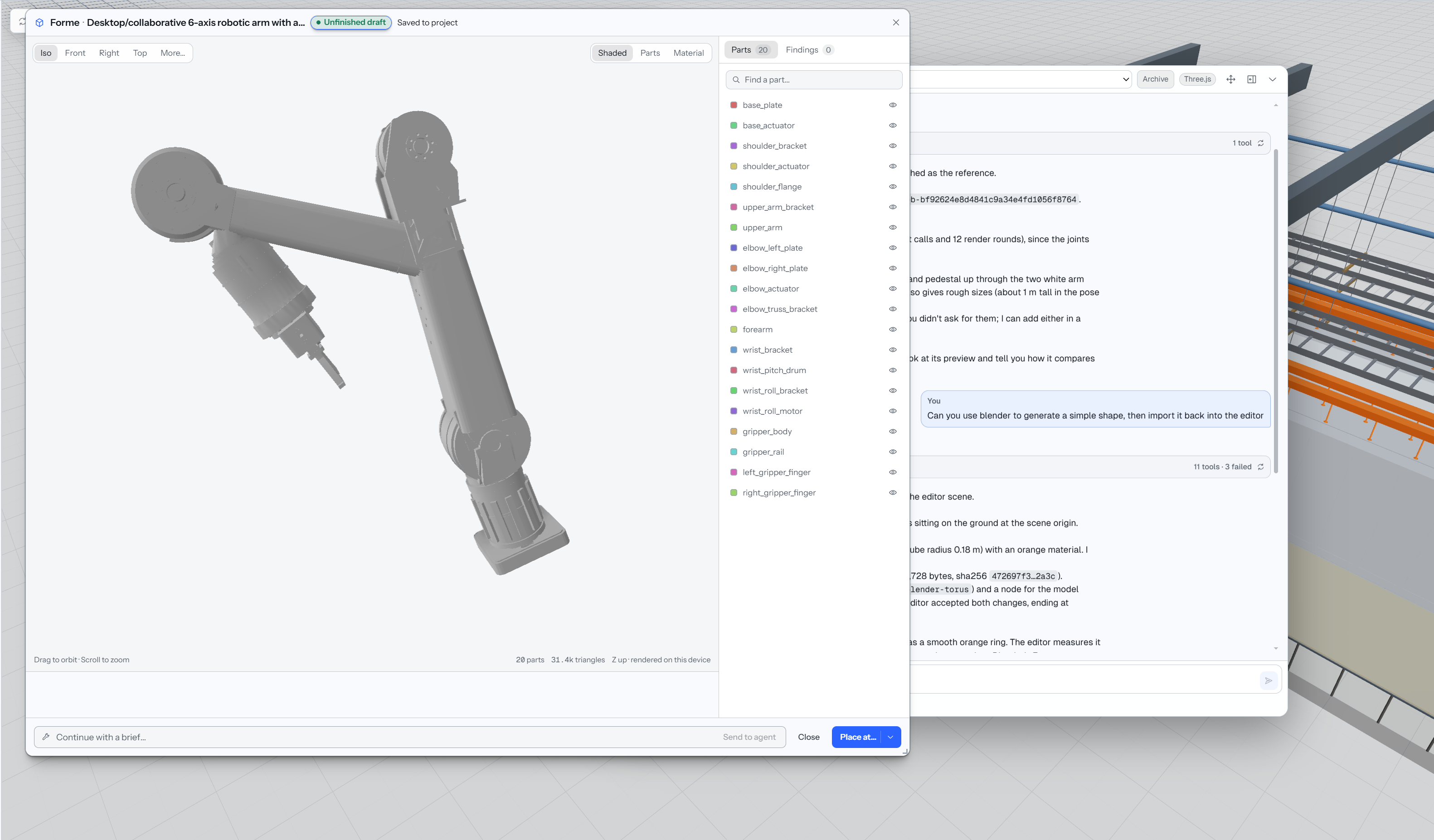
Forme preview of a six-axis robotic arm with separately listed parts in the Pandore editor.

Generate and refine 3D assets

Create physics-ready assets with separate parts, joints, motion and PBR textures using Forme. Generate, texture, refine topology and rig models in Asset Studio with Meshy, Tripo and Rodin, or work with Blender in the cloud.

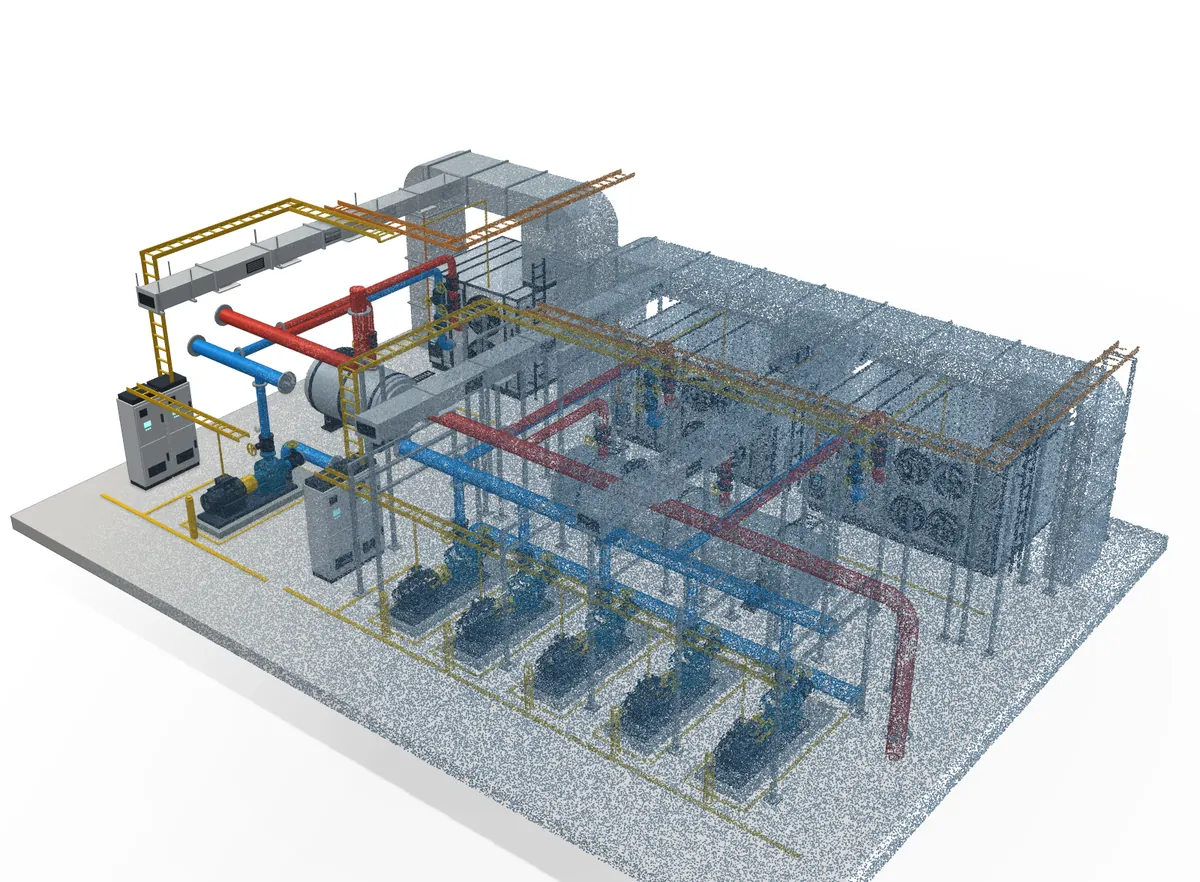
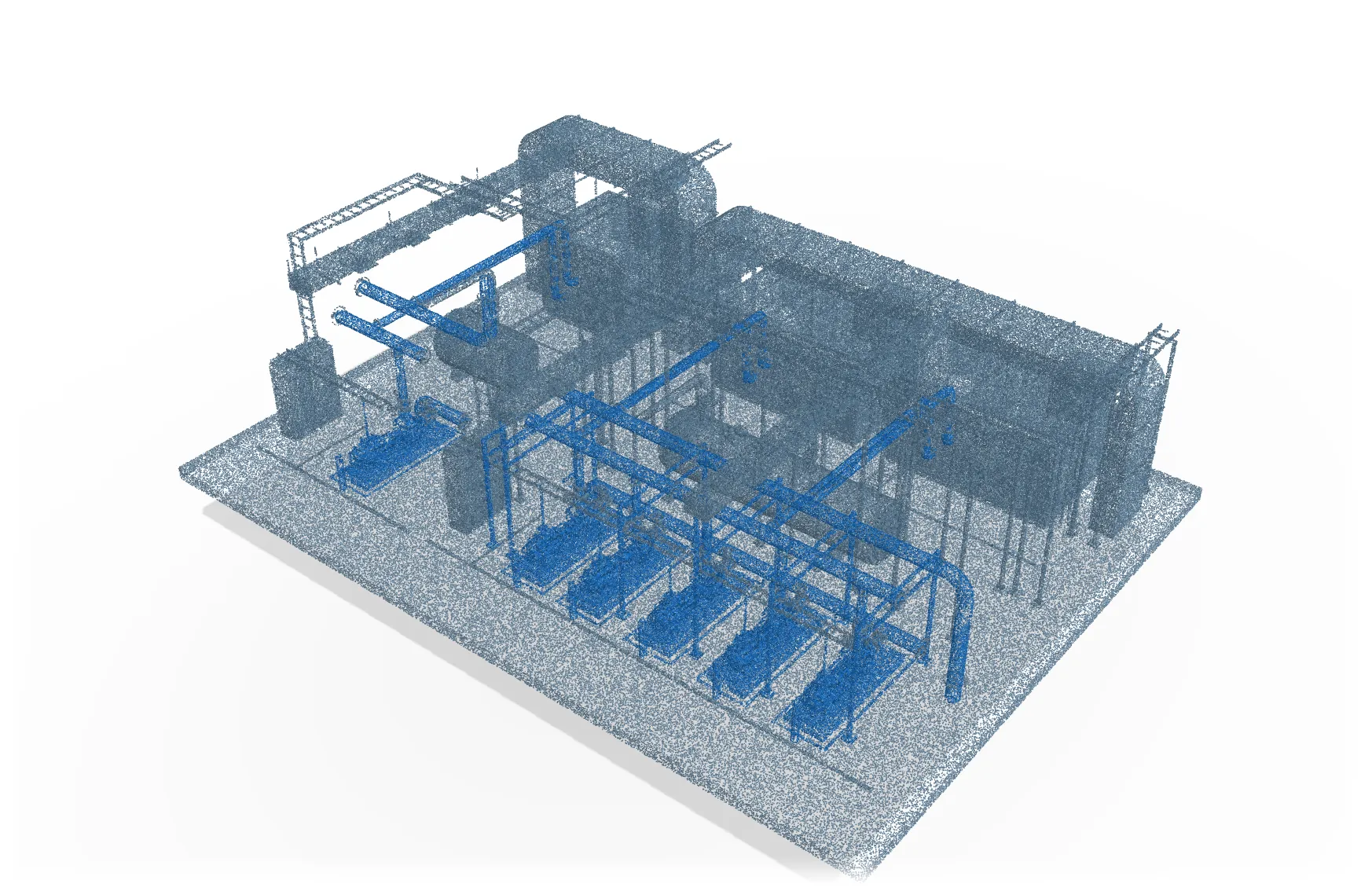
A plant room shown as CAD geometry dissolving into its point-cloud capture: pumps, chilled-water headers, cable trays and air handlers.

Capture reality

Turn images and video into segmented point clouds with 4D Studio. Import LiDAR scans and Apple RoomPlan captures to bring real spaces into your project for inspection, reconstruction and further design.

Use cases

From architecture
to virtual worlds

01Architecture & engineering

From your brief
to a building model

Develop buildings, interiors and technical spaces from a prompt, floor plan or existing-site capture. Explore layouts, refine structural elements and model mechanical, electrical and plumbing (MEP) systems in parametric CAD.

Export your building model to IFC to continue working in your AEC software.

For architects, designers and engineering teams
Exploded view of the data centre building in white: each floor lifted to show its plant, data halls, offices and cores above the landscaped plaza.
02Games & interactive experiences

Build worlds
people can explore

Create environments, props and interactive scenes with AI agents. Combine generated assets with terrain, architecture and scene editing to develop game worlds, browser experiences and virtual spaces.

Refine the whole environment or work on individual details as your ideas evolve.

For game developers, creative studios and independent creators
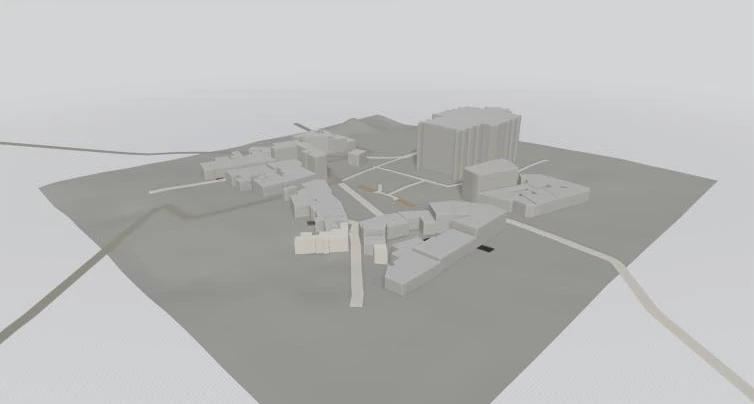
The Pandore island diorama: a mountain, forests, a waterfall and a lake above a village, ringed by fields and a beach.
03Industry & simulation

Bring real spaces into
your digital workflow

Reconstruct environments from images, video, LiDAR scans and RoomPlan captures. Use segmented point clouds to inspect spaces and identify objects.

Develop editable scenes for industrial visualization, facility planning and simulation preparation.

For industrial, facilities and simulation teams
A plant room reconstructed as a point cloud, with the pumps and chilled-water pipework picked out as separate assets.
043D asset creation

Multiple ways to create
in one workspace

Create physics-ready assets with Forme, generate and refine models in Asset Studio, or work with Blender in the cloud.

Bring the results into your scene and keep refining them with your agent.

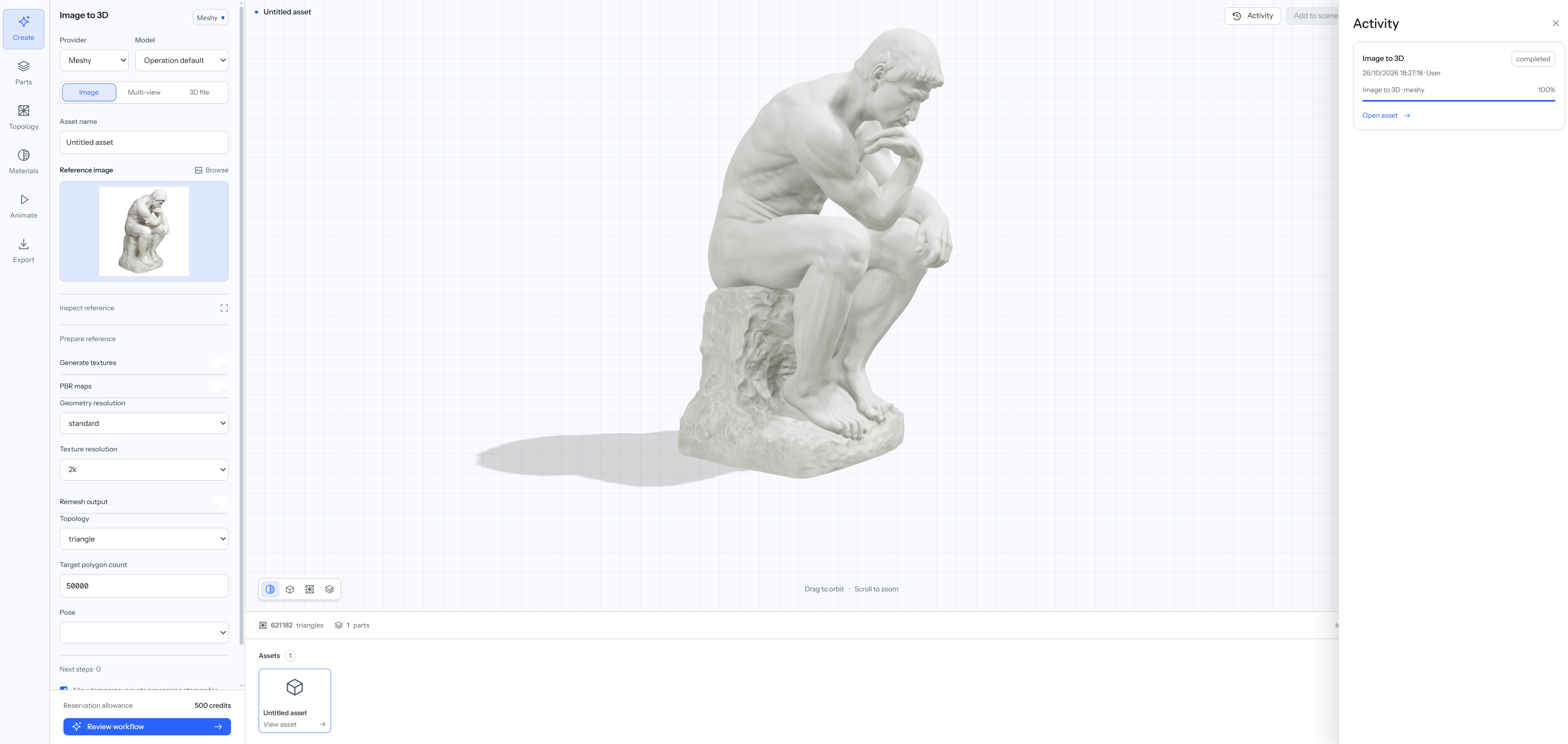
Pandore Asset Studio showing a seated statue generated from a reference image, with Meshy controls and a completed generation in the activity panel.
Forme
Pandore’s own agentic 3D tool creates physics-ready assets with separate parts, joints, motion and PBR textures.
Asset Studio
Generate and refine 3D assets with Meshy, Tripo and Rodin, from image-to-3D generation and texturing to topology refinement and rigging.
Blender in the cloud
Give agents access to Blender for modeling, scene assembly and further refinement.

Illustrative studies; capability availability varies during early access.

Web & desktop

One platform for
web and desktop

PANDORE Web

Create in
your browser

Work with AI agents to create and edit 3D projects directly in your browser, with the editor available for hands-on adjustments.

Get early access
PANDORE Desktop

Work across
your 3D tools

Use Pandore’s AI agents on Mac or Windows, working in our custom 3D engine or directly in Blender and Unreal. More software integrations are coming.

FAQ

Questions
about Pandore

What is Pandore?

Pandore is an agentic platform for 3D creation and spatial reasoning. Its AI agents help you plan, build and edit buildings, assets and environments using CAD, 3D generation and reality capture. You guide the work and can make changes directly in the editor.

What can I start from?

Start with a written brief, floor plan, reference images, video, LiDAR scan or Apple RoomPlan capture. Use these inputs to guide a new design or work from an existing space.

Can I edit what the agents create?

Yes. You can ask an agent to revise its work, make adjustments yourself, or combine both approaches. Buildings, generated models and captured data provide different ways to develop your scene.

How does Pandore support architecture and BIM workflows?

Pandore combines parametric CAD with building layouts, structural elements and MEP modeling. IFC export lets you carry building models into compatible AEC and BIM software.

How are 3D models generated?

Forme creates physics-ready assets with separate parts, joints, motion and PBR textures. Asset Studio brings together generation, texturing, topology refinement and rigging through Meshy, Tripo and Rodin. Agents can also use cloud Blender sessions for modeling and refinement.

What does 4D Studio do?

4D Studio turns images and video into segmented point clouds for spatial inspection and reconstruction. You can also import LiDAR scans and RoomPlan captures to work from real environments.

How does Pandore work with Blender and Unreal Engine?

Pandore brings together its own editor, cloud Blender sessions and desktop integrations with Blender and Unreal Engine, helping you continue work across your 3D tools.

Who is Pandore for?

Pandore is built for architects, engineers, 3D artists, game developers and creators working with spatial environments. You can begin with natural-language instructions and visual references, then use the editor for detailed control.

When can I try it?

Early access opens in stages. Join the waitlist to hear when Pandore becomes available for your area of interest.
Early access

Get early access
to Pandore

Contact

Get in touch

For questions about Pandore, partnerships or press, get in touch by email.

Write to us directly and we will reply from a real address.

Email contact@pandore.io
PANDORE / Early access

Tell us about
your project

We’ll contact you as early access opens.

Early access is opening in stages. Tell us what you are building and what you need it for, and we will come back to you when your area of interest opens.

Email contact@pandore.io

Local preview / Diagnostics

Rendering status

The page remains usable with scene images if live 3D cannot start. These details stay on your device.